


Memahami pola konsumsi listrik Anda adalah langkah pertama untuk mengurangi pemakaian yang tidak perlu dan menghemat tagihan listrik. IAMMETER menyediakan Wi-Fi energy meter yang akurat serta protokol terbuka untuk membantu pengguna melacak dan mengoptimalkan penggunaan energi. Panduan ini menunjukkan cara mengintegrasikan smart meter IAMMETER ke Domoticz—sistem home automation open-source—secara mulus untuk pemantauan dan visualisasi daya secara real-time.
Domoticz adalah sistem home automation open-source yang andal dan mendukung lampu, sakelar, serta berbagai macam sensor—termasuk energy meter. Dengan dukungan skrip Lua dan sensor virtual, menghubungkan perangkat seperti Wi-Fi energy meter IAMMETER (WEM3080 dan WEM3080T) dan melacak pemakaian daya secara real-time menjadi mudah.
Buat skrip Lua baru di dalam folder /domoticz/scripts/lua_parsers/
Nama file: iammeter.lua
lua复制编辑-- Retrieve the request content
s = request['content'];

-- Extract energy data from JSON
local voltage = domoticz_applyJsonPath(s, '.Data[0]')
local current = domoticz_applyJsonPath(s, '.Data[1]')
local power = domoticz_applyJsonPath(s, '.Data[2]')
local importenergy = domoticz_applyJsonPath(s, '.Data[3]')
local exportgrid = domoticz_applyJsonPath(s, '.Data[4]')

-- Update corresponding Domoticz devices
domoticz_updateDevice(1, 0, voltage)
domoticz_updateDevice(2, 0, current)
domoticz_updateDevice(3, 0, power)
domoticz_updateDevice(4, 0, importenergy)
domoticz_updateDevice(5, 0, exportgrid)
Buat file iammetert.lua di folder yang sama:
lua复制编辑-- Retrieve the request content
s = request['content'];

-- Phase A
local voltage_a = domoticz_applyJsonPath(s, '.Datas[0][0]')
local current_a = domoticz_applyJsonPath(s, '.Datas[0][1]')
local power_a = domoticz_applyJsonPath(s, '.Datas[0][2]')
local importenergy_a = domoticz_applyJsonPath(s, '.Datas[0][3]')
local exportgrid_a = domoticz_applyJsonPath(s, '.Datas[0][4]')

-- Phase B
local voltage_b = domoticz_applyJsonPath(s, '.Datas[1][0]')
local current_b = domoticz_applyJsonPath(s, '.Datas[1][1]')
local power_b = domoticz_applyJsonPath(s, '.Datas[1][2]')
local importenergy_b = domoticz_applyJsonPath(s, '.Datas[1][3]')
local exportgrid_b = domoticz_applyJsonPath(s, '.Datas[1][4]')

-- Phase C
local voltage_c = domoticz_applyJsonPath(s, '.Datas[2][0]')
local current_c = domoticz_applyJsonPath(s, '.Datas[2][1]')
local power_c = domoticz_applyJsonPath(s, '.Datas[2][2]')
local importenergy_c = domoticz_applyJsonPath(s, '.Datas[2][3]')
local exportgrid_c = domoticz_applyJsonPath(s, '.Datas[2][4]')

-- Update all phase devices
domoticz_updateDevice(6, 0, voltage_a)
domoticz_updateDevice(7, 0, current_a)
domoticz_updateDevice(8, 0, power_a)
domoticz_updateDevice(9, 0, importenergy_a)
domoticz_updateDevice(10, 0, exportgrid_a)

domoticz_updateDevice(11, 0, voltage_b)
domoticz_updateDevice(12, 0, current_b)
domoticz_updateDevice(13, 0, power_b)
domoticz_updateDevice(14, 0, importenergy_b)
domoticz_updateDevice(15, 0, exportgrid_b)

domoticz_updateDevice(16, 0, voltage_c)
domoticz_updateDevice(17, 0, current_c)
domoticz_updateDevice(18, 0, power_c)
domoticz_updateDevice(19, 0, importenergy_c)
domoticz_updateDevice(20, 0, exportgrid_c)
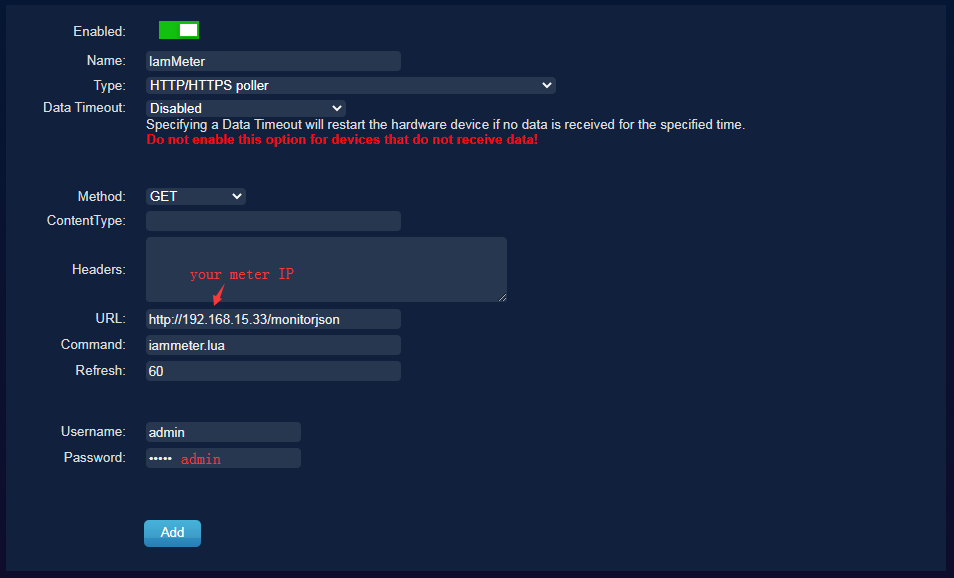
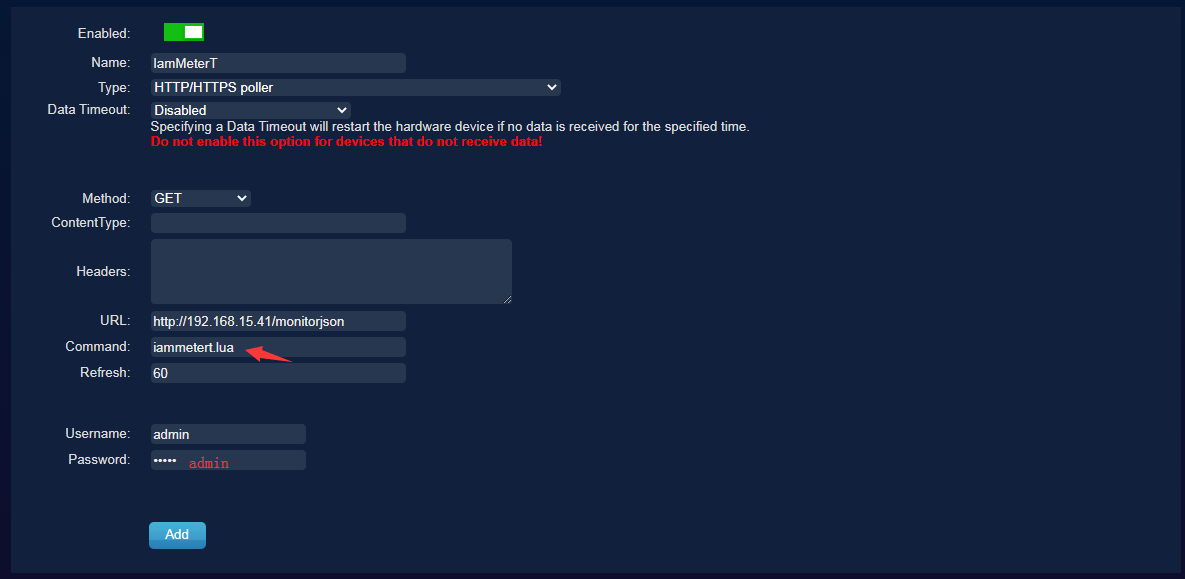
Buka Setup → Hardware, lalu tambahkan HTTP listener baru:
iammeter.luaiammetert.lua📸 Tangkapan layar (contoh):
Setelah menambahkan hardware, klik "Create Virtual Sensors":

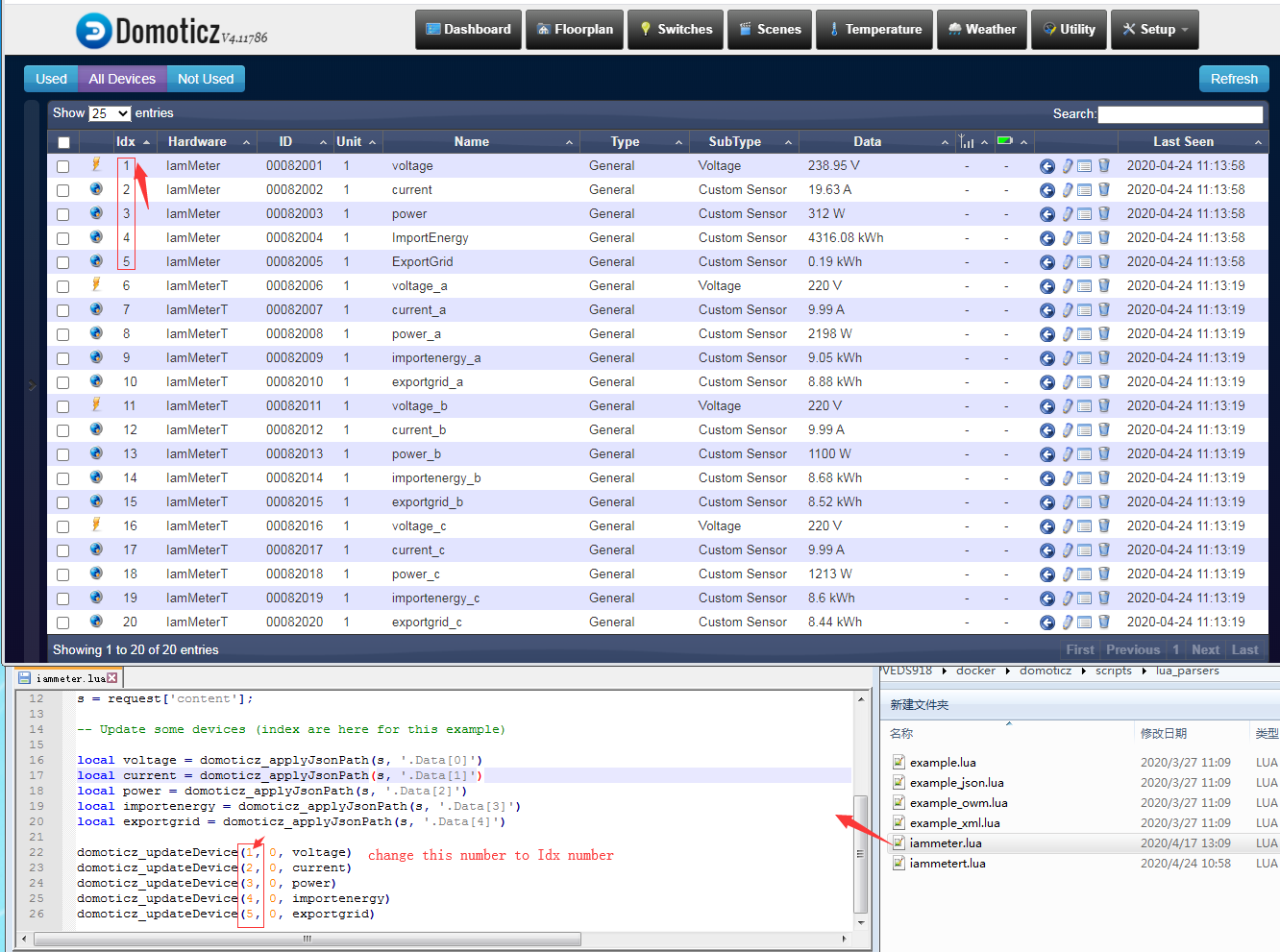
Pastikan nomor IDX pada skrip Lua sesuai dengan ID sensor virtual di Domoticz.
📌 Contoh:
lua


复制编辑
domoticz_updateDevice(1, 0, voltage) → IDX = 1
Periksa Setup → Devices untuk memverifikasi indeks sensor:
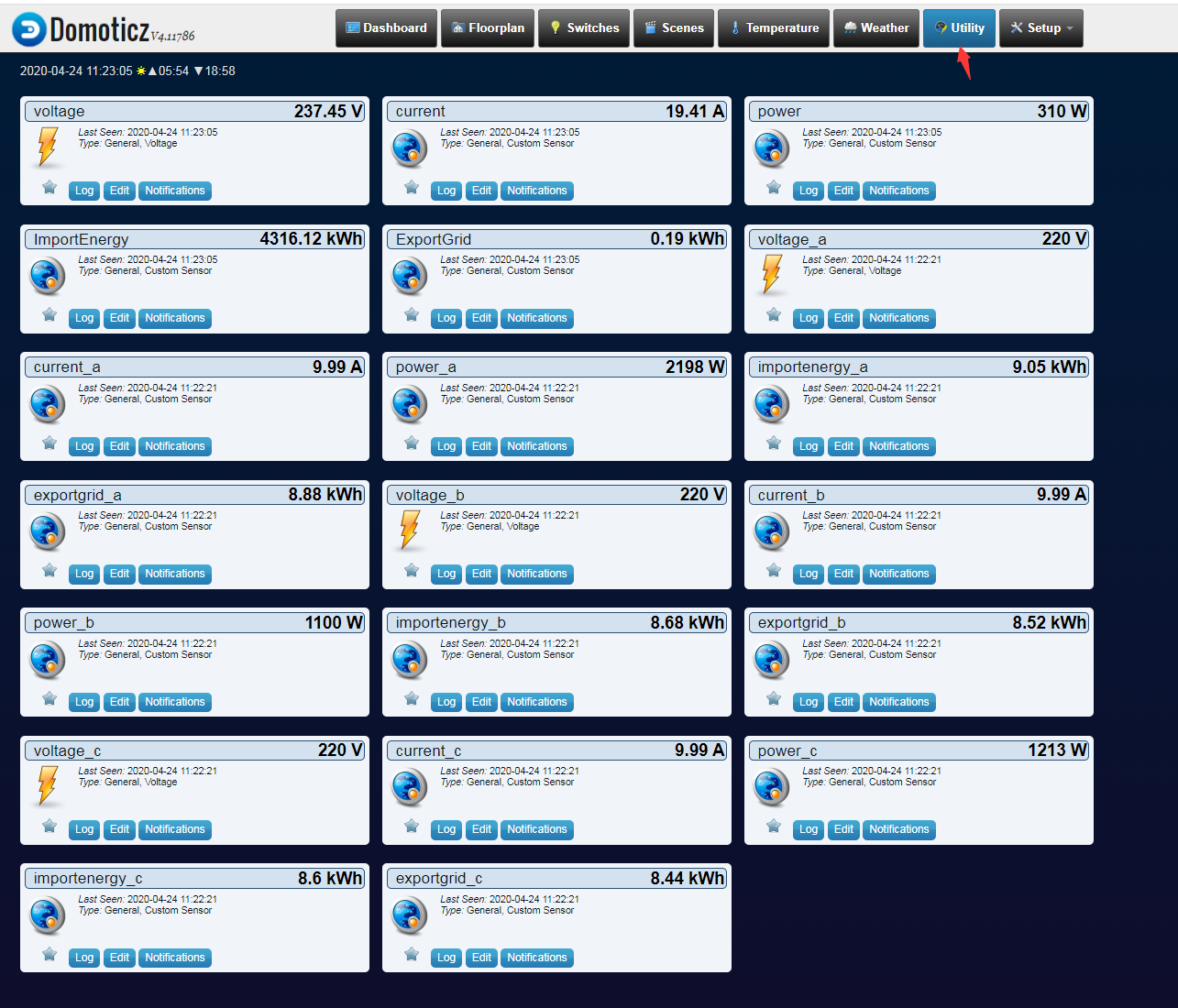
Setelah konfigurasi selesai, buka Utility untuk melihat data real-time dari energy meter IAMMETER Anda.
📊 Domoticz akan terus mencatat dan memvisualisasikan data ini untuk pelacakan historis serta pemicu otomatisasi.
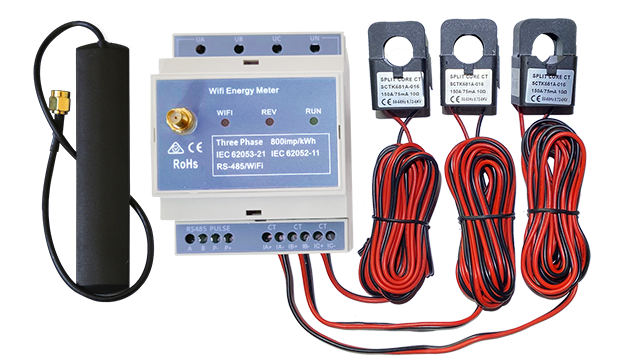
Meter energi Wi-Fi tiga fase (WEM3080T)
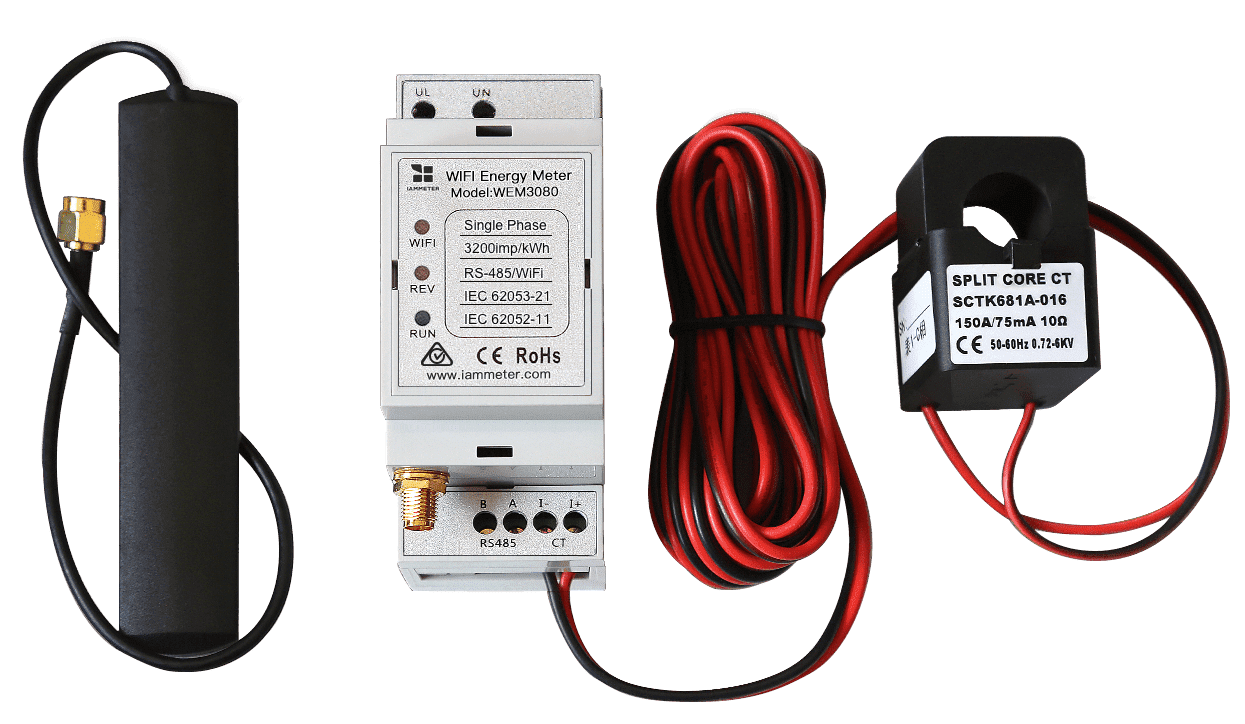
Meter energi Wi-Fi satu fase (WEM3080)
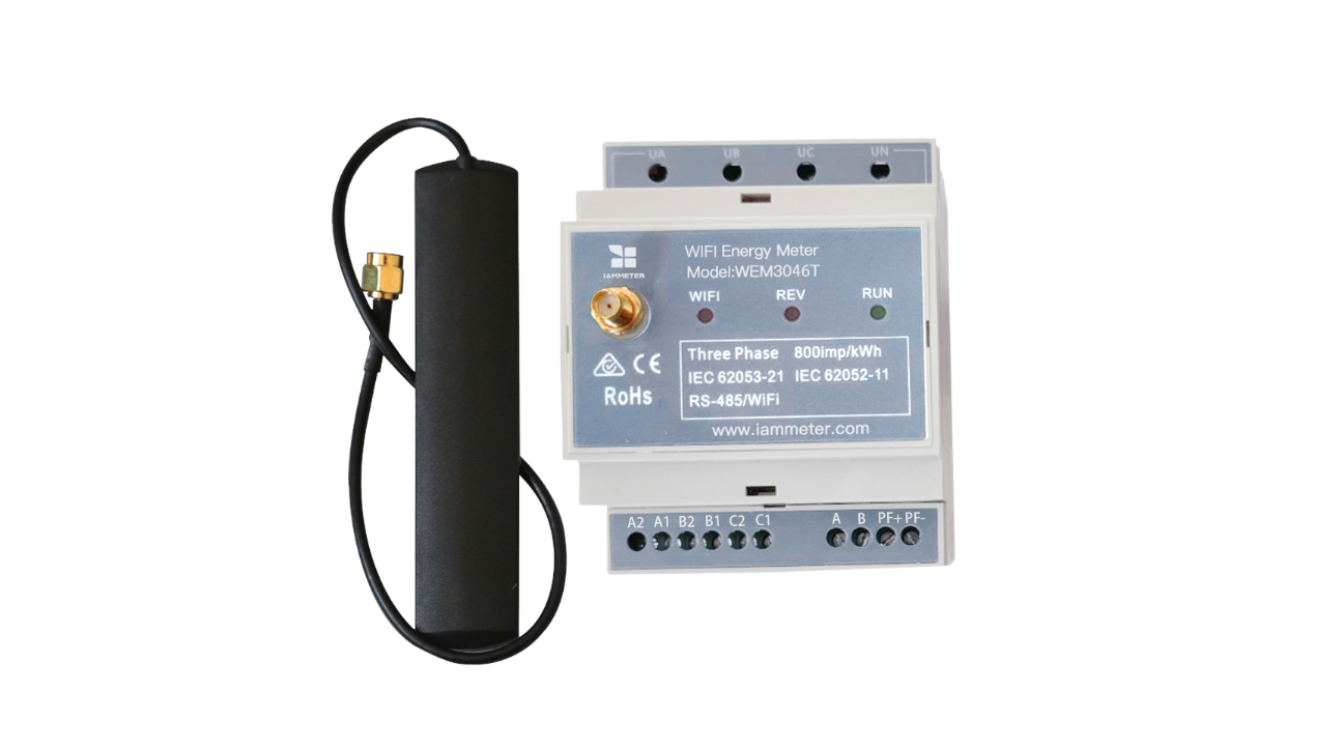
Meter energi Wi-Fi tiga fase (WEM3046T)
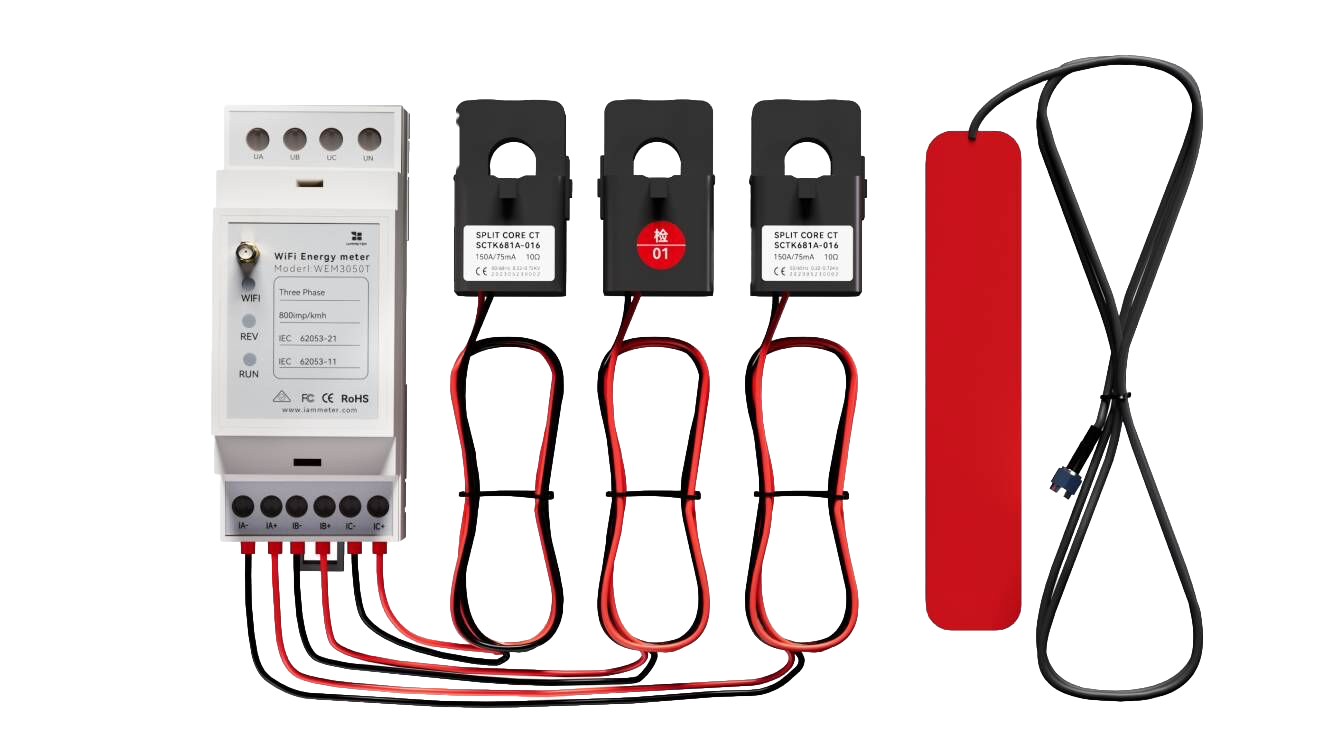
Meter energi Wi-Fi tiga fase (WEM3050T)